
X-NetStat 6
Take the tour
See why X-NetStat is trusted everywhere from data warehouses to gaming servers.
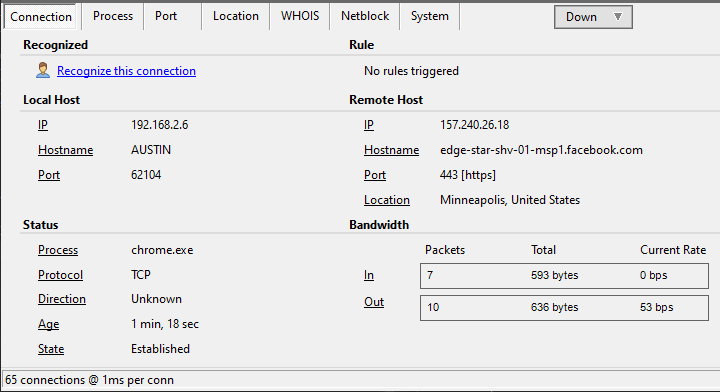
Detailed info on TCP/IP connections
The bottom panel provides access to connection, process, port, WHOIS, and system info.
Here the Connection Info tab provides available information on the TCP connection.
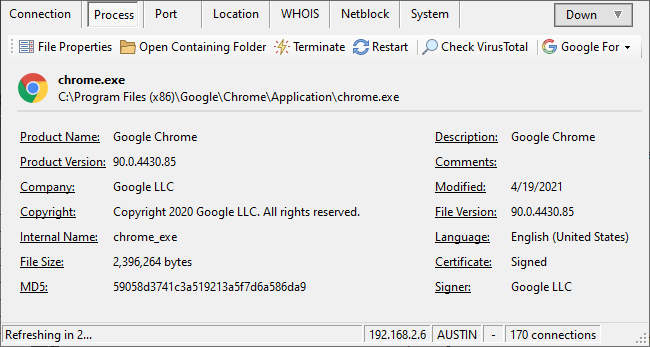
Detailed process info
X-NetStat shows the applications behind your network traffic. The Process Info tab displays the basics about the process, including embedded version information, MD5 hash, and whether the file is digitally signed.
You can also launch Process Explorer by Sysinternals from X-NetStat to show extremely detailed information.
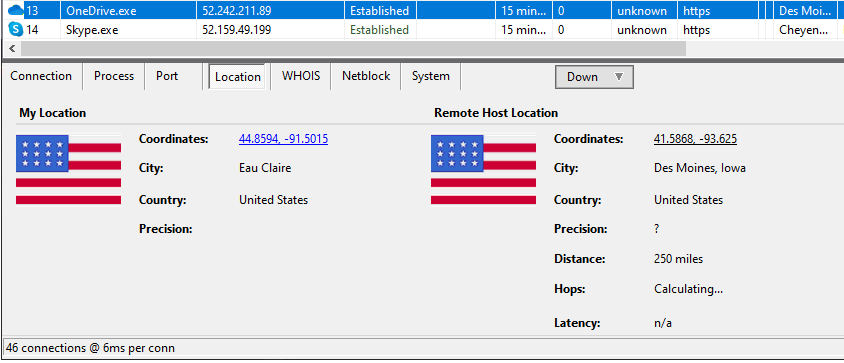
Location awareness
New in X-NetStat 6 is geographic awareness and the Location panel. It shows the approximate location of the remote host, including number of hops and line speed.
You can also use a country as a condition in a rule, and classify countries as ‘Safe’, ‘Neutral’, or ‘Threat’ to colorize them in the connection table.
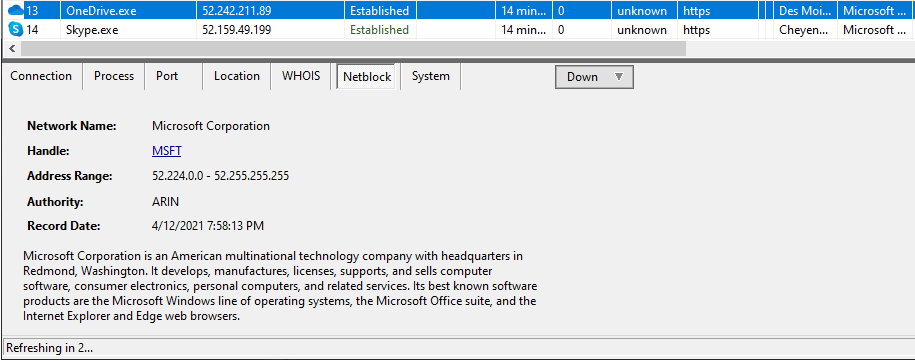
Address awareness
X-NetStat 6 integrates with IP address registries like ARIN and RIPE. You can fetch this information in realtime with an Agent, or look it up manually.
The Netblock tab shows the owner of the selected IP address, and any information that can be pulled up on Wikipedia about them.
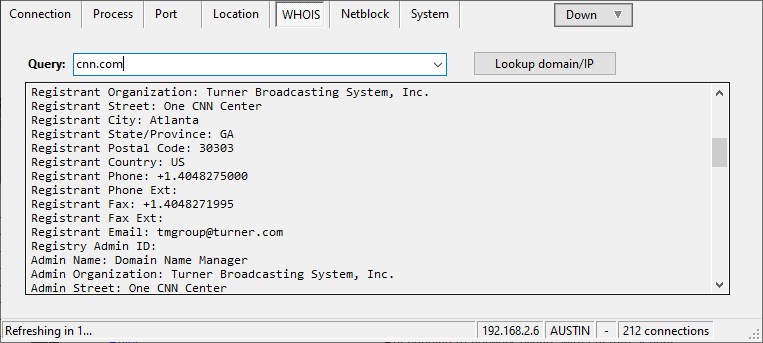
WHOIS browser
An integrated WHOIS browser looks up records for IP addresses and domain names. Requests are automatically routed to the appropriate WHOIS server.
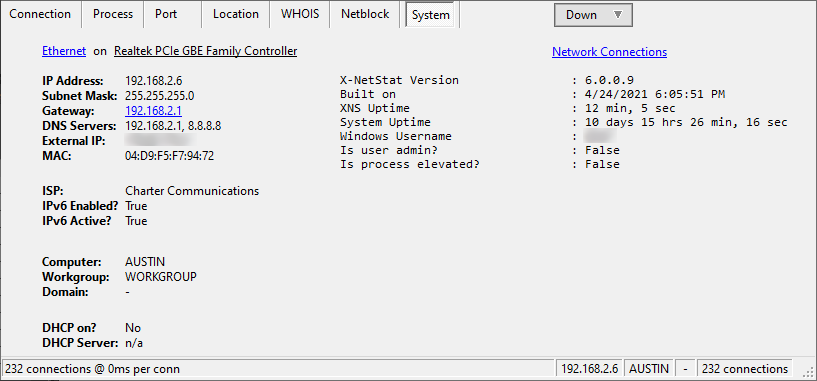
System information
The System Info panel shows information on your computer, your local network, your ISP, and X-NetStat session information.
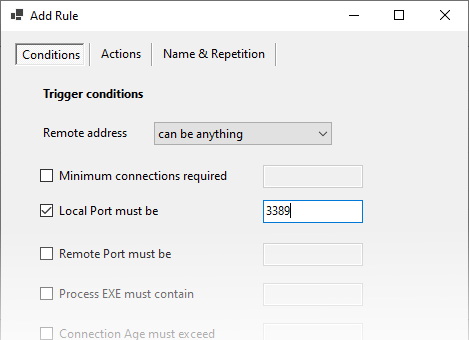
Set rules to trigger actions
X-NetStat can respond to connection and network conditions with a built-in rule system. Enter the conditions that trigger one or more actions, such as:
- Pop up a message alert
- Call a callback URL / web service
- Launch an EXE file or script
- Automatically kill the connection
- Send an email or text message
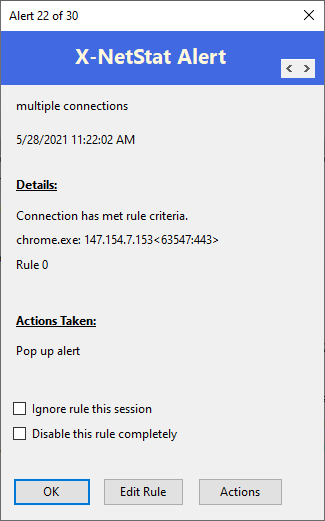
Rule-triggered alert
An example message alert from a triggered rule.
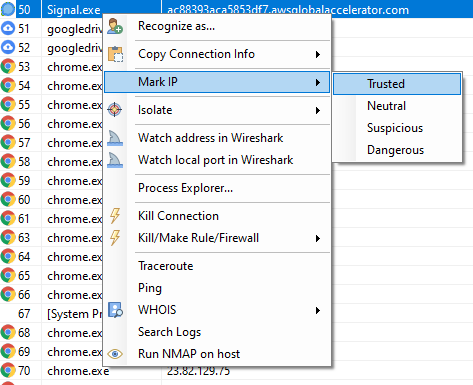
Everything in context
Access program features and commands in the context of any connection. Just right-click.
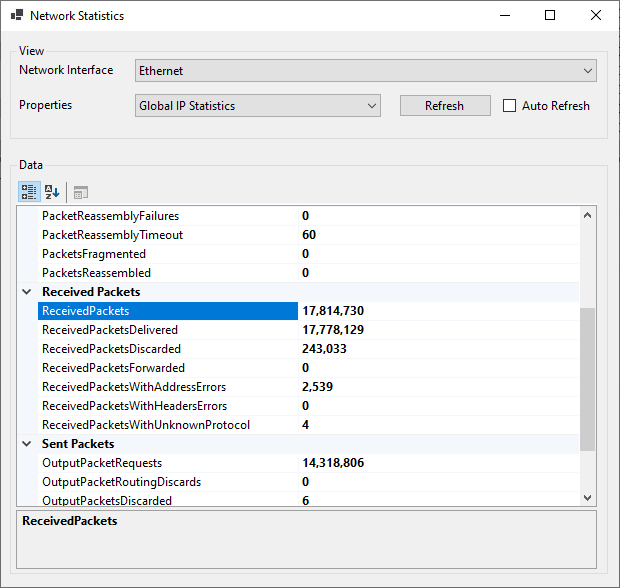
Dive into network statistics
Pull up vitals for your network interface cards, including statistics for the IP, ICMP, TCP and UDP protocols.
Looking for the old version? See the X-NetStat 5.63 tour.